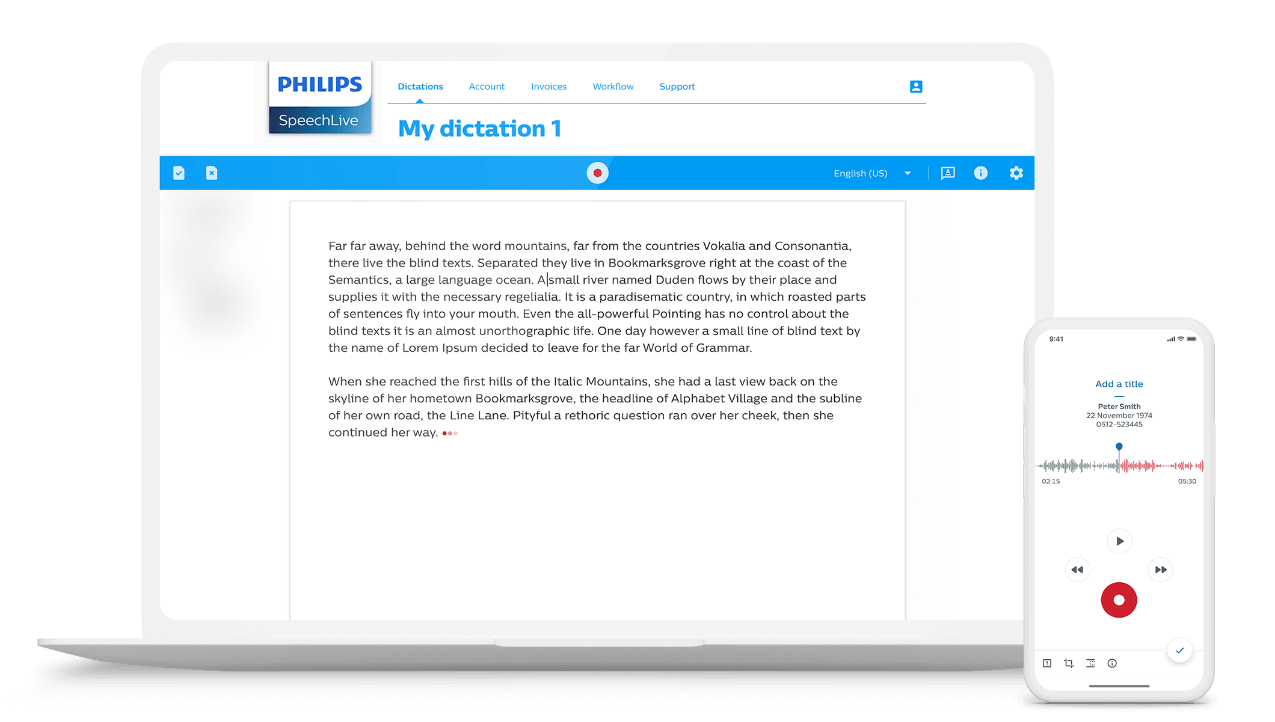
Desktop App
Simply press the record button, click anywhere you want to type and start speaking. SpeechLive converts your voice to text in real time.

Convert your words to transcripts automatically using speech recognition.

Save time by speaking instead of typing.

Transcribe as you speak or upload audio files for automated transcription.
Simply press the record button, click anywhere you want to type and start speaking. SpeechLive converts your voice to text in real time.
Use the SpeechLive app to convert your voice to text in real time while you speak or send recorded files to automated speech recognition.
Dictate with a traditional voice recorder, upload your recording to SpeechLive and your transcript will be ready in no time.
Easily manage your team. Add and remove users easily and control job assignment and routing rules.

Work alone, in small teams, or across large enterprises.
Protect sensitive information. SpeechLive uses ISO 27001-certified Microsoft Azure hosting services.
Access all your dictation files anywhere, anytime. Even without internet access, you can still work in local mode and synchronize all your dictation files when you are online again.
The automatic backup function protects your data against accidental loss. Your dictation files are always safe, even if your computer crashes, you suddenly lose your internet connection, or unintentionally erase your data.
SpeechLive works seamlessly with Philips Pocket Memo dictation recorders, SpeechMike dictation microphones, and SpeechExec dictation recorders for Smartphones.